
POs Bills & Invoices
POs Bills & Invoices training is the set of BidBuild videos and step-by-step guides covering Create and Pay Bills from Budgets.
Videos and guides
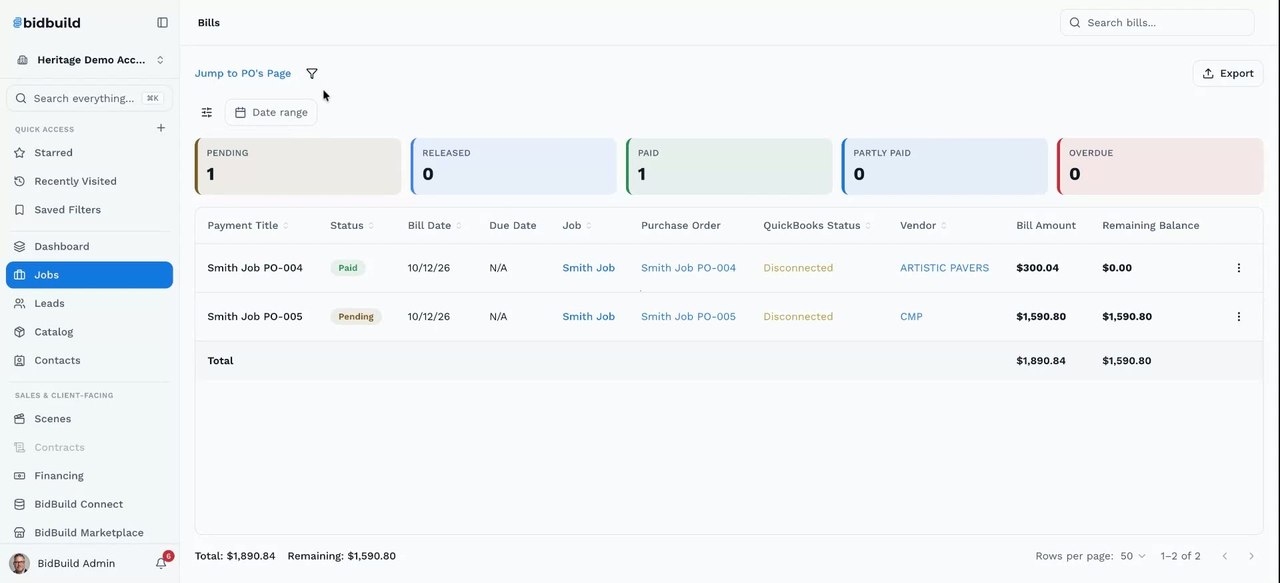
Create and Pay Bills from Budgets
Learn how to turn a budget line into a purchase order, convert an approved purchase order into a bill, and then send that bill to QuickBooks or mark it as paid. You select the budget items, choose the vendor, save the purchase order and approve it, then create the bill from it. The video also covers a quicker shortcut that creates the bill straight from the budget without a separate purchase order approval, and how to review all purchase orders and bills across jobs from the Jobs area.
Related Documents
Still stuck? How do I get help?
Customers can open a ticket from Support inside the BidBuild app.
Get in Touch
Talk to a Real Person
Questions about training, setup, or your account? Reach us directly or book a one-on-one training session.