Operations · 8 min read
Landscaping Business Software: A Buyer's Guide for Design-Build Landscapers
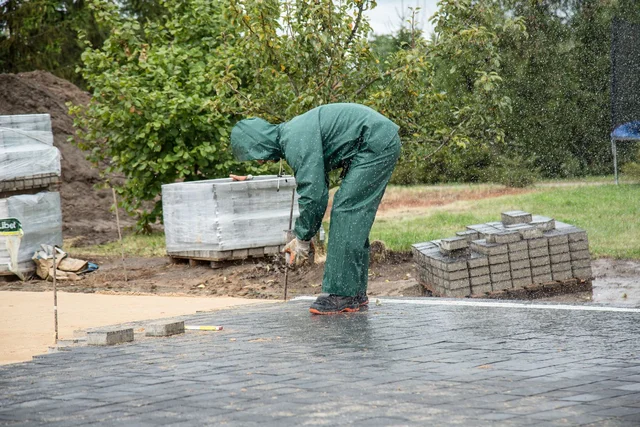
Landscaping business software for a design-build company should connect site discovery, priced scope, material selections, crew scheduling and job costs. Choose it around installation work and project changes, not just recurring maintenance visits or a generic customer list.
A landscape project may combine drainage, grading, irrigation, paving, planting and outdoor features. Those scopes share the property but have different suppliers, readiness conditions and cost risks. Your software should make those relationships easier to manage without forcing the team to maintain a second version in a spreadsheet.
Distinguish design-build from recurring service
Maintenance companies often organize work around repeat visits, routes and service agreements. Design-build landscapers organize it around an accepted scope, construction phases and client decisions. A company doing both needs to evaluate both workflows instead of assuming one calendar covers everything.
Begin your shortlist with a written description of the work you sell. Include standalone installs, complete backyard projects, phased work and follow-on maintenance. Identify which activities need detailed estimating and which need efficient dispatch. Ask vendors to demonstrate the distinction using your own examples.
The landscape contractor page shows how BidBuild approaches installation and maintenance-related work. Treat that as a starting point for questions, not a substitute for checking the exact needs of your crews.
Capture site facts before design becomes price
A workable estimate starts with access, existing grades, drainage concerns, utilities and site information still needing verification. Keep photographs and notes with the inquiry. Flag assumptions so the salesperson does not accidentally present them as confirmed conditions.
Someone must own each follow-up: checking a survey, confirming a material specification or obtaining a subcontractor quote. A note saying “verify drainage” is not a finished design or an assigned task. The system should make it clear who owes the next answer.
Keep concept and construction scope separate
A concept drawing shows the intended result. It does not necessarily establish quantities, engineering requirements, material availability or installation methods. Track what has been priced and what still requires professional design or approval before calling the proposal complete.
Use the same discipline for photographs of inspiration. A picture of a patio is not a specification for its base preparation, drainage or edge restraint. Translate the idea into defined work your crew and supplier can understand.
Make assemblies useful without hiding assumptions
Reusable estimate components can help with familiar scopes such as paving, planting beds or irrigation zones. They should include the materials and work needed to deliver that scope, while allowing the estimator to adjust for the site.
Review quantities, waste, delivery access and labor assumptions rather than copying a past project unchanged. A hardscape installation beside an occupied home may have different access and protection needs from an open new-build site. The customer may see the same finished surface, but your cost basis differs.
BidBuild's Catalogs keeps product information in the company directory and supports manufacturer imports. Confirm supplier pricing and availability before committing to a specific product. A catalog entry is not a reservation of inventory or a promise of delivery.
Price uncertain work deliberately
Drainage conditions, unsuitable soil and restricted access can change installation costs. Identify the uncertainty, decide what information can resolve it and document the remaining assumptions. Do not use a vague contingency allowance to avoid the conversation.
BidBuild connects contingency from product items into the proposal and then the job, after any project discount. That helps the team track the buffer alongside actual work. It does not mean a customer-requested upgrade should consume the contractor's risk reserve.
Read the contingency guide for the underlying distinction, even when your job is a landscape installation rather than a pool. Client selections and unexpected job costs need separate records and decisions.
Present options without rewriting the project
Homeowners may compare a base patio with an expanded seating area or a different finish. Describe each option clearly and show what changes in the scope. Keep excluded work visible so a price comparison does not become a misunderstanding about the finished result.
BidBuild's Proposing creates custom website-style proposals with product previews. Use that presentation to explain materials, included work and payment milestones. Your team must still review the quantities and terms before sending it.
For a fictional Florida project, the customer might approve the patio and drainage work now while leaving the outdoor kitchen for a later contract. Record the boundary between phases explicitly. “Future kitchen” should not appear to include foundations, utilities or equipment unless those items are actually in the accepted scope.
Move selections into the job record
Once the proposal becomes a job, finish selections should have a clear approval process. Record the product, color, relevant specification and any effect on price or availability. Give the customer enough information to understand what they are approving.
BidBuild's Selections is part of the post-conversion job workflow: contractors upload materials for customer approval, and approved selections become the shared source of truth. Do not let an earlier inspiration photo compete with that approved record.
Before placing the order, the buyer should verify the approved selection against the supplier quote. If the product becomes unavailable, treat the substitute as a decision needing review rather than assuming a similar name means an equivalent result.
Schedule preparation before finish work
A landscaping schedule should reflect how the site becomes ready. Grading and underground work can affect paving. Delivery access may disappear after a surface is installed. Planting plans may need revision when earlier work reveals an obstruction.
Ask each vendor to show dependent work, crew assignments and a change in the plan. BidBuild's Schedules offers calendar and Gantt views with dependent date movement. The project manager still confirms the site, materials and subcontractors before mobilization.
Read the crew scheduling guide alongside your current schedule. Look for missing handoffs: who confirms the delivery, who checks predecessor work and who tells the homeowner about access restrictions?
Track labor, materials and outstanding obligations
Job profitability depends on costs your office can trace. Record labor against the correct project, attach vendor bills to the relevant job and review open commitments. Costs posted to the wrong project can create misleading reports even when every receipt is entered.
Use Job Financials to inspect budgets, purchase orders, bills, invoices, contingencies and approved changes together. Ask the accountant how the accounting integration treats the records you use. Do not assume every edition or transaction type has identical support.
Check the cause of a variance before changing future prices. Was the quantity wrong, did site preparation expand, did a material substitution cost more or was the crew waiting on an unresolved decision? A useful closeout explains the work, not just the final balance.
Evaluate customer communication on a phone
The homeowner should understand what happens next, what they need to decide and what payment is due. Avoid exposing internal cost detail merely because the software can show it. Confirm access settings and inspect the customer view.
A good update connects a change to its consequence: the paving selection remains pending, so the order has not been released. That is more useful than saying the project is “on track” while an essential decision is outstanding. Keep the source record current so staff can give the same answer.
Compare vendors against a complete project
JobTread markets software to landscaping contractors and describes estimates, project templates, files, customer communication and invoicing on its landscaper page. Consider it using a real installation workflow, not an assumption that general construction software cannot serve landscapes.
Jobber's feature overview emphasizes home-service operations. That may be relevant for a maintenance-heavy business. For a design-build company, separately demonstrate project dependencies, scope changes and financial records before deciding.
BidBuild is written for pool, landscape and specialty contractors, with connected project financials and AI specialists. BidBuild IQ prepares work for approval; it does not design drainage independently or direct field installation. Ask every vendor to show the review step and the information behind an AI draft.
Frequently asked questions
Should design-build landscapers use maintenance software?
Only if it also supports the construction workflows they need. Recurring visits and routes do not by themselves cover detailed scope, project dependencies and approved changes.
When should customer material approval be recorded?
Record the final selection before releasing the corresponding order. In BidBuild, Selections is part of the job workflow after proposal conversion and establishes the approved material record.
Can a catalog replace supplier confirmation?
No. Check current price, availability, delivery conditions and the exact specification with the supplier before committing to an order or customer schedule.
What should a landscaping software trial include?
Use an anonymized project with site assumptions, priced scope, a material change, linked schedule phases and vendor costs. Include the field, office and customer views.
Choose around the work you install
Bring a landscape project your team knows well and follow it from proposal to closeout. Explore BidBuild pricing to match the plan to your installation workflow.