Platform · Leads
Cost Management
Protect your profit, from product to project.
Attach contingency to your product items, include it in your proposals and use it when discounting a project. That same contingency carries into the job to cover overruns — keeping a buffer between unexpected costs and your profit.
- Contingency attached to product items
- Proposal contingency for project discounts
- Job contingency to absorb overruns
The contingency lifecycle
One buffer. Every step of the job.
Contingency isn’t just a number added at the end of a bid. In BidBuild, it starts with the products you sell and stays connected as the proposal becomes a job.
- 1
Start with the product items
Attach contingency to individual product items, building a cost buffer into the items that make up your project.
- 2
Bring it into the proposal
When those items are added to a proposal, their contingency comes with them. The buffer is part of the project pricing, not something you have to recreate later.
- 3
Use it for project discounts
Contingency can be used to discount a project. Using that buffer for a discount leaves less available to absorb unexpected costs once the job starts.
- 4
Carry it into the job
The remaining contingency follows the proposal into the job. When costs go over, that buffer helps absorb the overrun before it eats into the profit you planned.
Profit protection built into the workflow.
BidBuild is one of the few systems built around this connected contingency approach — from product items to proposals to active jobs. It helps you see how discounts and overruns affect your buffer, so you can make decisions with your profit in view.
Inside BidBuild
See where your contingency lives.
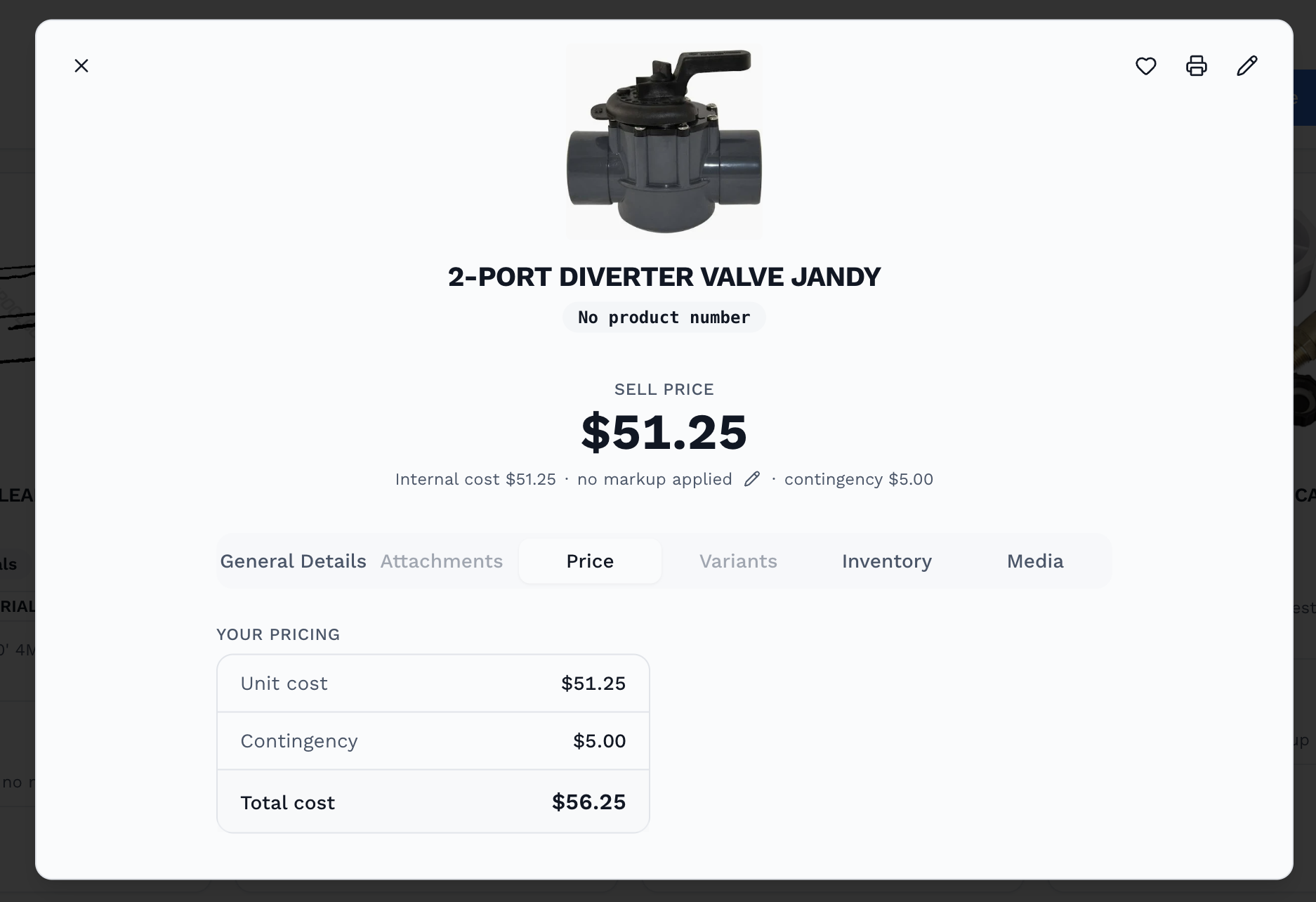
Every product has its own buffer.
Product pricing keeps unit cost and contingency visible together. That item-level detail helps you build a proposal from the actual products and work involved.

Plan the details before the first day on site.
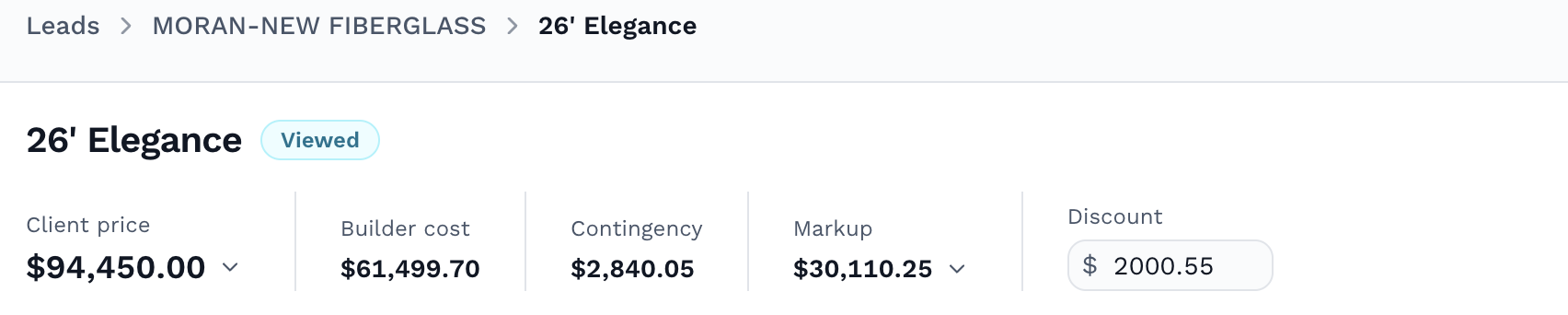
Price the proposal. See the discount.
The proposal brings client price, builder cost, contingency, markup and discount into one view. You can see the buffer alongside the pricing decision before the project becomes a job.
Keep profit and contingency in view on the job.
Once work is underway, review contract value, cost to complete, profit, progress and contingency together. The job view keeps the remaining buffer visible as costs change.

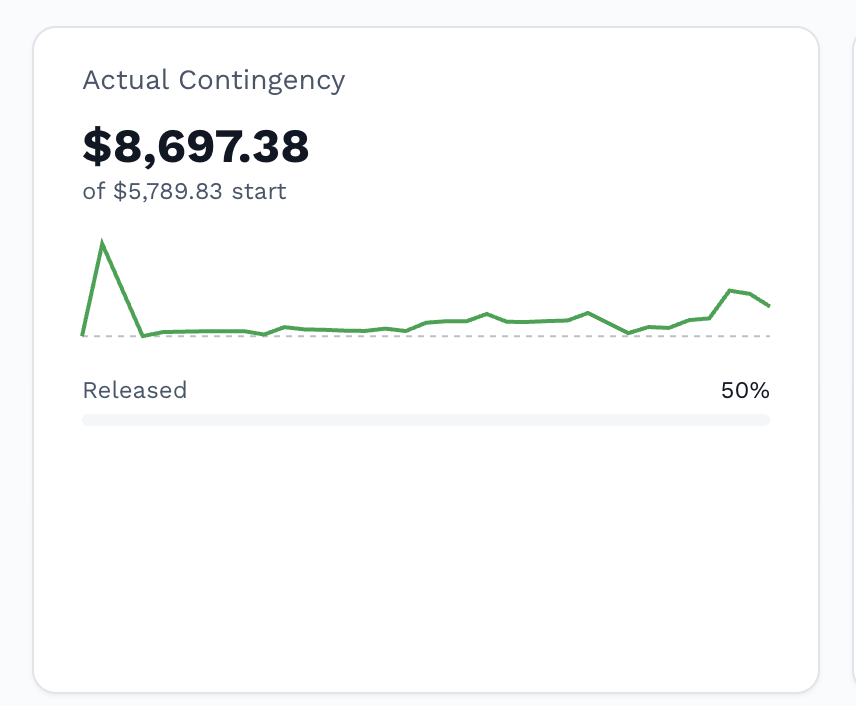
Follow the buffer over time.
The Actual Contingency panel shows the current amount, starting amount, trend and released percentage — giving you a clearer picture of how the buffer changes during the job.

A finished project. A clearer picture of your profit.